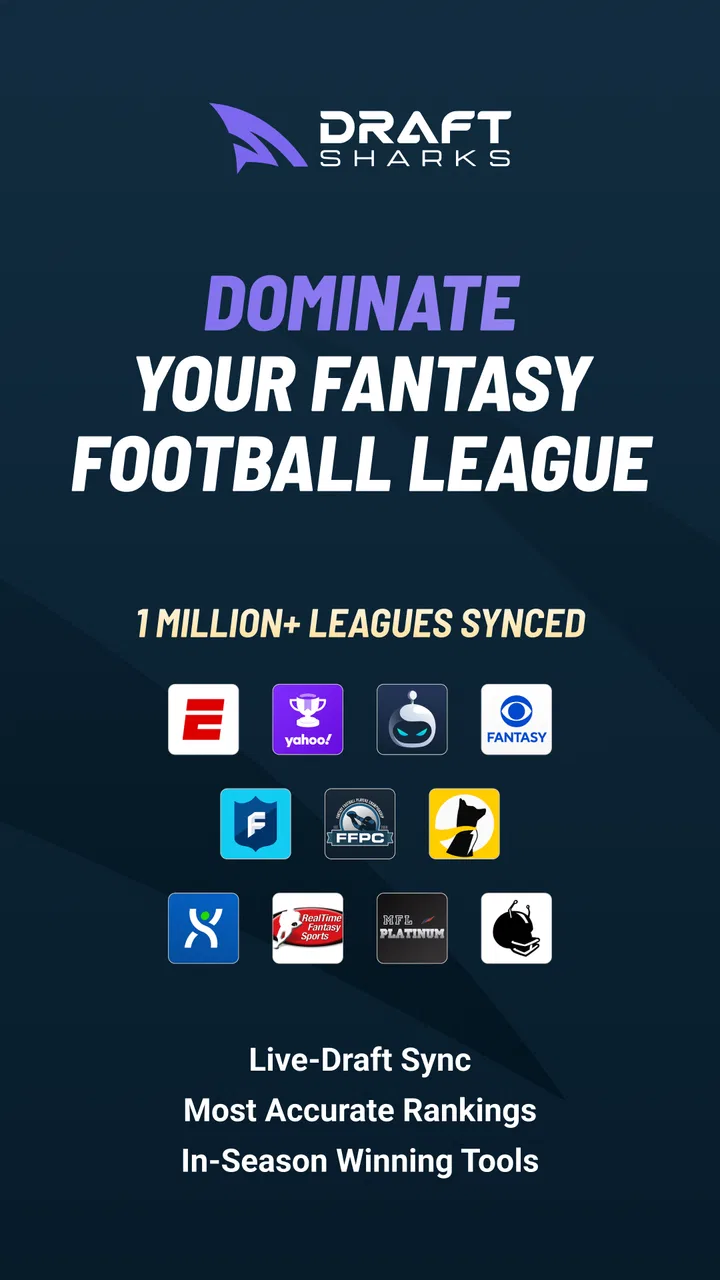
Draft Sharks Fantasy Football
- 3.4
- Rating
- 50.00K
- Installs
- Free
- Price

 Analysis by App-foxy
I approached Draft Sharks Fantasy Football as a practical draft-day companion rather than a complete fantasy football platform. It is a free sports app from Draft Sharks, built around rankings, tools, and advice for fantasy football managers. That focus matters: the app is most useful when you already have a league, a draft date, and a clear idea of the decisions you need to make.
My first impression is that it aims to reduce the panic that usually arrives when the draft clock is running. Instead of relying only on a printed cheat sheet or switching repeatedly between unrelated websites, you can use one mobile reference for player evaluation and draft preparation. I found that approach appealing, especially for managers who want guidance without paying for a premium fantasy service.
At the same time, this is not an app I would recommend blindly to every fantasy player. Its value depends on how you draft, how much detail you expect, and whether your league settings match the assumptions behind the advice. The average rating sits at 3.4 from more than five hundred ratings, which suggests a mixed experience rather than universal approval. That feels consistent with an app that can be useful in the right workflow but frustrating when setup, access, or expectations are out of alignment.
You May Also Like

 AccuWeather: Weather Radar
AccuWeather Review: A Quick, Clear Forecast for Everyday Decisions
For everyday plans, the best forecast is the one you can understand quickly. AccuWeather makes rain timing, radar, and local conditions easy to act on, with a few trade-offs.

 Hill Climb Racing
Why Hill Climb Racing Still Turns Crashes Into One More Run
A tiny car, a bumpy hill and one more upgrade: Hill Climb Racing keeps resurfacing because its simple chaos makes every near-miss feel personal.

 AliExpress - Shopping App
AliExpress Makes Global Shopping Feel Personal, but Shoppers Bear the Risk
AliExpress turns a global marketplace into a pocket-sized discovery engine. Its reach is useful, its shopping loop compelling, and its trade-offs easy to miss.

 Lords Mobile: Kingdom Wars
Lords Mobile Is a Kingdom-Building Routine, Not a Quick Match
A case-by-case verdict on the building, battles, device demands, and social commitments that make Lords Mobile rewarding for some players and exhausting for others.

 PDF Scanner app - TapScanner
TapScanner Makes Paperwork Easier to Capture, Check, and Share
TapScanner makes scanning with a phone feel less like a rescue operation and more like a dependable step in getting work done. Its capture tools are useful, though not flawless.

 Block Blast!
 Shows How Much a Puzzle Game Can Leave Out
A quiet grid game shows why puzzle players increasingly value instant clarity, repeatable skill and low-pressure play—and where the genre still needs to catch up.
More From Our News Desk
View All News


Getting past the first points of friction
The most common difficulty with a draft companion is not understanding fantasy football; it is getting the app ready before the important moment. A tool can have useful rankings and still fail as a draft aid if the user opens it minutes before the league begins and has not checked how it behaves on the phone.
I would start by installing it well before draft night. The app has been available since May 7, 2015, and its current version is 4.7. It supports devices running Android 7.0 or later, so compatibility is broad for many older phones, but an older operating system can still create a less comfortable experience than a current device. A quick launch, screen check, and sign-in or account check are worth doing before players begin coming off the board.
Another useful preparation step is deciding what role you want the app to play. If you expect it to manage your league, host the draft room, track every roster automatically, and replace your league provider, you may be disappointed. I see it more naturally as a research and decision-support tool. Your league may still live somewhere else, and you may need to enter or remember the relevant settings yourself.
That distinction prevents a lot of confusion. Fantasy football advice only becomes meaningful when it reflects the scoring system, roster positions, and draft format you are actually using. A ranking that looks sensible in a standard league may not have the same value in a league with unusual bonuses or a different lineup structure. Before trusting any recommendation, I would compare the app’s assumptions with the rules shown in your league host.
Checks I would make before draft night
My setup routine would be simple. First, open the app on the same phone you expect to use during the draft. Second, look through the available rankings and advice so the layout is familiar. Third, keep your league settings visible in another place, such as the league website or a note. Finally, make sure you know how you will record selections if the app is being used alongside a separate draft room.
This last point is easy to overlook. A fantasy tool can help you choose between two players, but it cannot remove the need to follow your actual draft board. If the app is open beside the league platform, the phone may become cramped or awkward to navigate. On a small screen, I would rather use the app for preparation and quick checks than attempt to make it the only display for every piece of draft information.
There is also a practical difference between reading advice at home and using it under time pressure. Before the draft, browse slowly and identify the information you personally need: overall player order, position priorities, or a way to compare candidates. During the draft, avoid exploring every section. A short, repeatable process is safer than trying to learn the entire app while the clock is moving.
The best preparation is to turn the app into a familiar reference, not a last-second rescue plan. That means deciding in advance how you will use its rankings and advice, then leaving enough flexibility to respond to your league’s behavior.
Recovering when the workflow breaks
Suppose the app does not appear to show the information you expected. I would first close and reopen it, then check whether the phone has a stable internet connection. If another app is also failing to load, the problem is probably broader than this particular fantasy tool. Switching between Wi-Fi and mobile data can help identify whether the connection is the issue, though I would avoid making repeated changes during an active draft unless necessary.
If the app opens but feels stuck, restarting the phone is a reasonable general step. On Android, checking that the app is updated through the normal store process can also be useful. Because version 4.7 is the current version associated with the app, an outdated installation may behave differently from the version other users are running. I would not erase app data or uninstall immediately, especially if I had already prepared a personal workflow that might need to be recreated.
When a page or tool does not behave as expected, I would also test a different part of the app. If rankings load but another area does not, that points to a narrower problem than a total connection failure. If nothing loads, I would return to the basic checks: connection, app restart, device restart, and available device storage. These are ordinary steps, but they are more useful than assuming the rankings themselves are wrong.
A backup plan is essential for live drafts. I would keep a separate note with my preferred player targets and a short list of alternatives. This is not a criticism unique to Draft Sharks; every mobile draft aid is vulnerable to a dead battery, a weak signal, a frozen screen, or a league host that becomes busy. The app can improve preparation, but it should not be the only place where your entire strategy exists.
When the problem is really the league or the device
Fantasy football apps often get blamed for problems caused by the surrounding setup. A player may appear unavailable because another manager selected them, not because the app failed to refresh. A recommendation may seem strange because the league uses a scoring rule the user did not account for. A draft room may lag because the league platform is under pressure, even while the advice app works normally.
I would separate these situations before changing my strategy. Check the live draft board first, then compare the app’s information with the league’s actual roster and scoring rules. If the two systems disagree, the league platform is the authority for what has happened in the draft. Draft Sharks can help with judgment, but it cannot override the official selection order.
Device limitations can matter too. The minimum operating system is Android 7.0, but meeting that requirement does not guarantee a smooth experience on every phone. Older hardware, limited memory, a crowded screen, or aggressive battery management can make switching between apps slower. If the app works better after closing other applications, the issue may be the phone’s workload rather than the fantasy content.
I also would not treat an unexpected ranking as proof of an error. Rankings are opinions shaped by assumptions and timing. My preferred approach is to use them as a starting point, then ask whether the player fits my roster construction, risk tolerance, and league format. The app is more valuable when it informs a decision than when it is treated as an unquestionable draft order.
How I would use it in a real draft routine
Imagine I have a workday league draft in the evening. Earlier that day, I would open the app and review the rankings without trying to memorize every name. I would mark the positions where I feel least confident and make a short list of fallback choices. I would then compare that list with my league’s roster requirements, because a strong general ranking is not automatically the right pick for my next turn.
During the draft, I would watch the league board in its official platform and use Draft Sharks for quick judgment calls. If several managers select running backs early, I might use the app to evaluate whether I should follow the rush or take value at another position. If my preferred player disappears, I would move to the next suitable option instead of spending the entire pick searching for a perfect replacement.
This is where a mobile advice tool can be genuinely helpful. It gives structure to decisions that otherwise become emotional. I can ask, “Which of these two players better fits my plan?” rather than staring at a long list and reacting to every pick. The trade-off is that the app does not know my personal roster unless I actively account for it, so I still need to think about balance and future picks.
After the draft, I would use the app less as an authority and more as a reference for reviewing what happened. Did I reach for a player because of a positional run? Did I ignore a position until the alternatives became weak? Did I follow a ranking even though it conflicted with my league’s scoring? Those questions make the tool more useful over time because they improve my process, not just one draft.
For a casual manager, this workflow may be more than necessary. If you only make a few selections in a friendly league and enjoy choosing players from memory, the app could add clutter rather than confidence. For a manager who regularly feels rushed or loses track of positional value, its focused fantasy football purpose makes more sense.
Where it compares well with common alternatives
The usual alternative is a browser search, a downloaded cheat sheet, or the built-in rankings supplied by the league host. A browser gives access to more opinions, but it also creates more tabs and more opportunities to compare conflicting advice. A static sheet is quick, yet it becomes harder to adapt when the draft takes an unexpected turn. Built-in league rankings are convenient because they sit beside the draft, although they may not provide the same style of independent guidance.
Draft Sharks sits between those options. It is more focused than general web searching and more portable than a printed sheet. I like that middle ground for preparation and quick comparisons. The limitation is that convenience does not automatically mean personalization. If you need deep customization for a highly unusual league, a more specialized paid platform or a spreadsheet you control may be a better fit.
The free price is a real advantage for someone who wants to test a fantasy tool without committing money. It also makes the app easier to recommend to a friend who is joining a league for the first time. Still, free access should not be confused with a guarantee that every user will find the interface or advice complete enough for serious competition. The right question is whether its particular set of tools matches your draft habits.
Its age rating is Everyone, which fits the straightforward sports-planning purpose. The app has passed the fifty-thousand-install mark, so it is not an obscure experiment, but that level of adoption also does not tell me whether it will suit a specific league. I would judge it by the quality of my own preparation and by how easily it fits beside the league platform I already use.
Who should use it, and who should skip it
I would recommend trying it if you want a free, dedicated fantasy football reference and prefer having rankings and advice in an app instead of assembling your own research system. It is particularly suitable for newcomers who know the basic rules but do not yet have a reliable way to organize draft decisions. It can also help experienced managers who want a second opinion before making a pick.
I would be more cautious if your league has unusual scoring, custom player pools, or rules that require highly specific calculations. In that situation, the app may still provide general context, but a customizable spreadsheet or a service built around your exact league settings could be more dependable. I would also skip it as a primary tool if you expect a fully integrated league-management experience rather than advice and draft support.
Another reason to choose an alternative is personal preference. Some managers make better decisions with a printed tier sheet because it keeps their eyes on the draft and avoids switching screens. Others prefer the league host’s integrated recommendations because they do not want to reconcile information from two places. Draft Sharks is not automatically better than those choices; it is better when independent guidance and mobile access solve a problem you actually have.
My practical verdict after weighing the trade-offs
I see Draft Sharks Fantasy Football as a useful preparation tool with a clear purpose, not a magic shortcut to a winning roster. The free access lowers the barrier to trying it, and the sports-focused design makes more sense than relying on random searches when a draft is approaching. I especially like the idea of using it before the draft to create a short list, then consulting it briefly when the live board creates a difficult choice.
Its weaknesses are mostly about workflow. You still need to understand your league rules, follow the official draft board, and maintain a backup plan. A phone screen can make multitasking awkward, and general rankings may not reflect every custom setting. Those limitations are manageable if you prepare early, but they become serious if you open the app for the first time with seconds left on the clock.
Draft Sharks has been developed by Draft Sharks and remains a reasonable option for Android users on supported devices. With its current version at 4.7 and a free entry point, I would suggest giving it a low-pressure test before draft night rather than judging it during a live selection. If the layout helps you make faster, calmer choices, it earns a place in your routine. If it creates more switching and uncertainty than it removes, your league’s built-in tools or a simple personal draft sheet may serve you better.
My recommendation is therefore measured but positive: use it as a focused second opinion, prepare your settings and backup notes in advance, and keep the official league platform in charge of the actual draft. Used that way, Draft Sharks Fantasy Football can turn a scattered draft process into a more organized one without pretending to replace your own judgment.
FAQs for Draft Sharks Fantasy Football
01What is Draft Sharks Fantasy Football?
Draft Sharks Fantasy Football is a fantasy football companion app and platform designed to help users prepare for drafts, manage their teams, and make more informed lineup decisions. It typically combines player rankings, projections, draft tools, matchup information, injury updates, and expert analysis. It is most useful for fantasy managers who want data-driven guidance rather than relying only on personal opinions or basic league rankings.
02Can Draft Sharks Fantasy Football help me during my live draft?
Yes, one of the platform’s main purposes is draft preparation and live-draft assistance. Depending on the version and subscription you use, it may provide customizable rankings, player values, roster needs, draft recommendations, and tools for tracking selections. Before drafting, it is worth checking whether your league format, scoring settings, and draft platform are supported, because recommendations can be less accurate when settings are entered incorrectly.
03Does Draft Sharks Fantasy Football support different league formats?
The service is intended for a range of fantasy football formats, including common redraft leagues and, in some cases, dynasty, keeper, auction, best ball, or league-specific setups. The exact tools available can vary by plan and platform. Users should review the supported scoring systems, roster configurations, and league integrations before downloading or subscribing, especially if they play in an unusual format or use highly customized rules.
04Is Draft Sharks Fantasy Football free to use?
Draft Sharks Fantasy Football may offer free articles, rankings, tools, or limited features, while more advanced projections, draft assistants, premium content, and specialized analysis can require a paid subscription. Pricing and included features may change over time, so users should check the current listing or official website before starting a trial. Also review renewal terms carefully if the app uses recurring billing through Android or iOS.
05Is Draft Sharks Fantasy Football suitable for beginners?
Beginners can use Draft Sharks Fantasy Football, particularly if they want help understanding player values, draft strategy, waiver decisions, and weekly lineup choices. However, the amount of information may initially feel overwhelming, especially when several rankings and projections are displayed together. New users should begin with the basic tools, enter their league settings accurately, and treat the recommendations as guidance rather than guaranteed predictions.
Pros
- Detailed player projections help support smarter fantasy lineup decisions.
- Useful draft rankings make it easier to prepare for different league formats.
- Expert analysis adds context beyond basic player statistics.
- Regular updates can help track injuries
- news
- and changing player values.
- Helpful for comparing players during drafts and roster management.
Cons
- Many advanced tools and insights require a paid subscription.
- The amount of data may feel overwhelming for casual fantasy players.
- Some features may be more useful before the season than during it.
- Projections are opinions and may not match your league’s scoring settings perfectly.
- The app’s value depends heavily on timely updates during the NFL season.

Draft Sharks Fantasy Football
Gallery